It writes the boolean. It knows the shortcuts. It's a wizard.
In every sense of the word: it guides you step by step, it does what looks like sorcery, and it quietly turns you into the wizard. Twenty years of sourcing craft are wired in — working silently on every search.
🛡️ Never touches LinkedIn — works with your Recruiter seat, and can't put your account at riskYou type three plain things. This is the search it hands the engine:
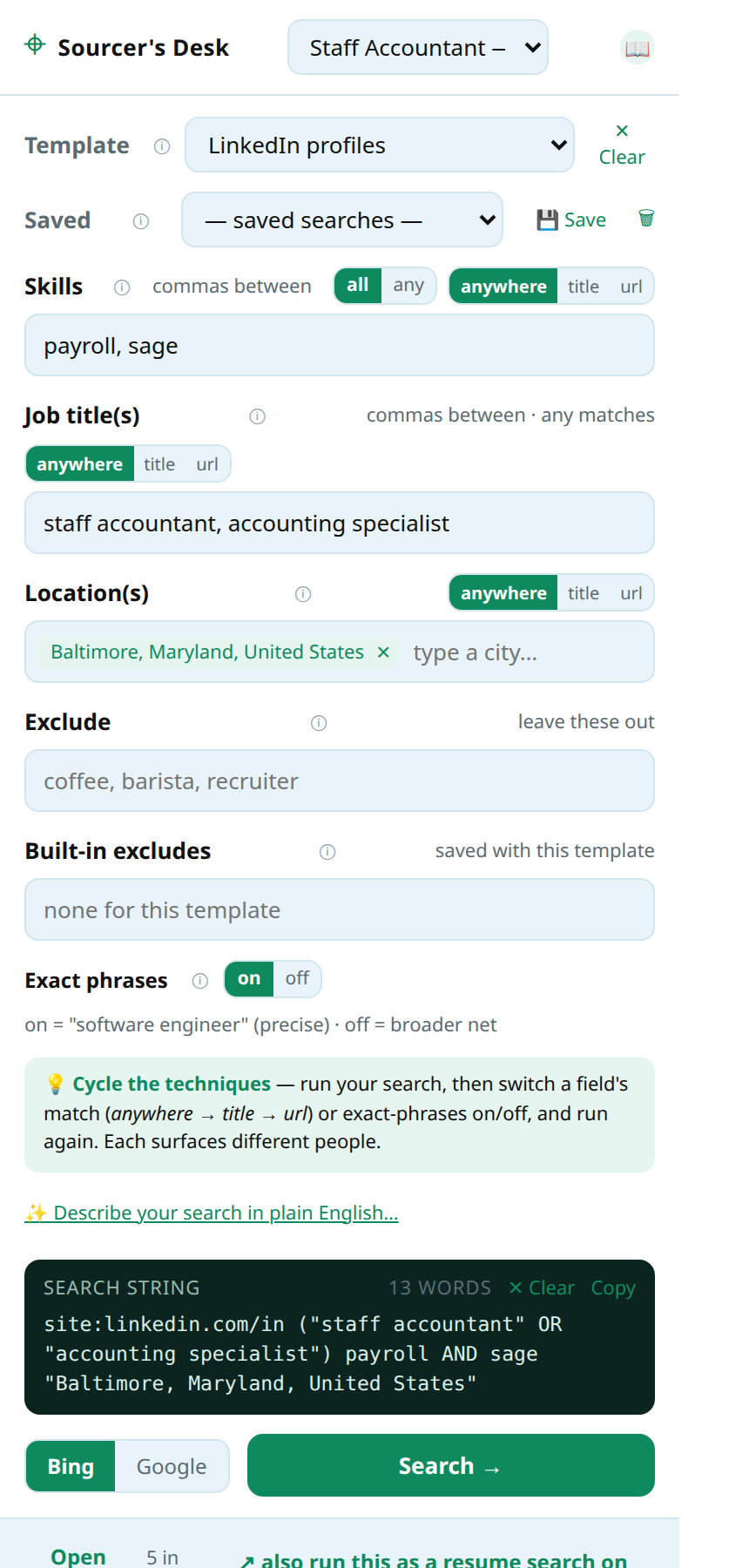
"staff accountant" sage (intitle:resume OR intitle:cv OR inurl:resume OR inurl:cv) ("Baltimore" OR "410" OR "443" OR "667" OR "MD") -jobs -job -sample -template -apply
Those phone area codes? The resume anchored in the page's title? The job-posting excludes? That's twenty years of sourcing craft, applied automatically — on every search. See more examples, built live, in the Guide →
Type plain words — skills, titles, a city — and get expert x-ray searches, captured candidates, client projects, and real email formats. Every card below used to be a by-hand chore or a hard-won trick. Now it just happens.
Verified area codes for 46 U.S. metros, core and overlay, applied automatically to resume searches. The candidate whose resume says “Towson, MD” and never mentions Baltimore? Their phone number finds them. The suburbs open up.
Pick “Chicago” from autocomplete and your search carries LinkedIn's exact phrase — so results are people genuinely tied to that market, not keyword accidents or alumni pages.
Engines quietly drop parts of over-stuffed queries rather than show zero results — usually your location. Sourcer's Desk warns you before you search and checks the results page after, so a “healthy-looking” page can't fool you.
A consensus of SignalHire.com and Email-Format.com, read on demand — with each source's numbers shown. If no published format exists, it says so honestly. It never fabricates an address.
Candidates file into projects, projects group under clients — the way a full desk actually runs. Disposition, notes, saved searches, and a one-window profile viewer instead of forty tabs.
Export ATS-ready CSVs — first/last name split, source stamped — that import-mapping wizards recognize on sight. Your data also backs up to a plain JSON file you own. Nothing is ever trapped.
LinkedIn is one pond. The same technique aims at open-web resumes, GitHub, portfolios, and any site with public profiles — where candidates sit with their email on the page and nobody else calling them.
anywhere → title → url: each setting surfaces a genuinely different set of people from the same words. Three passes take about three minutes — and can triple what one search finds. Visited links stay purple, so only the new faces stand out.
Flip “Docs only” and get actual Word and PDF resumes from the open web — usually with the phone number and personal email sitting right at the top. The shortest path from search to outreach.
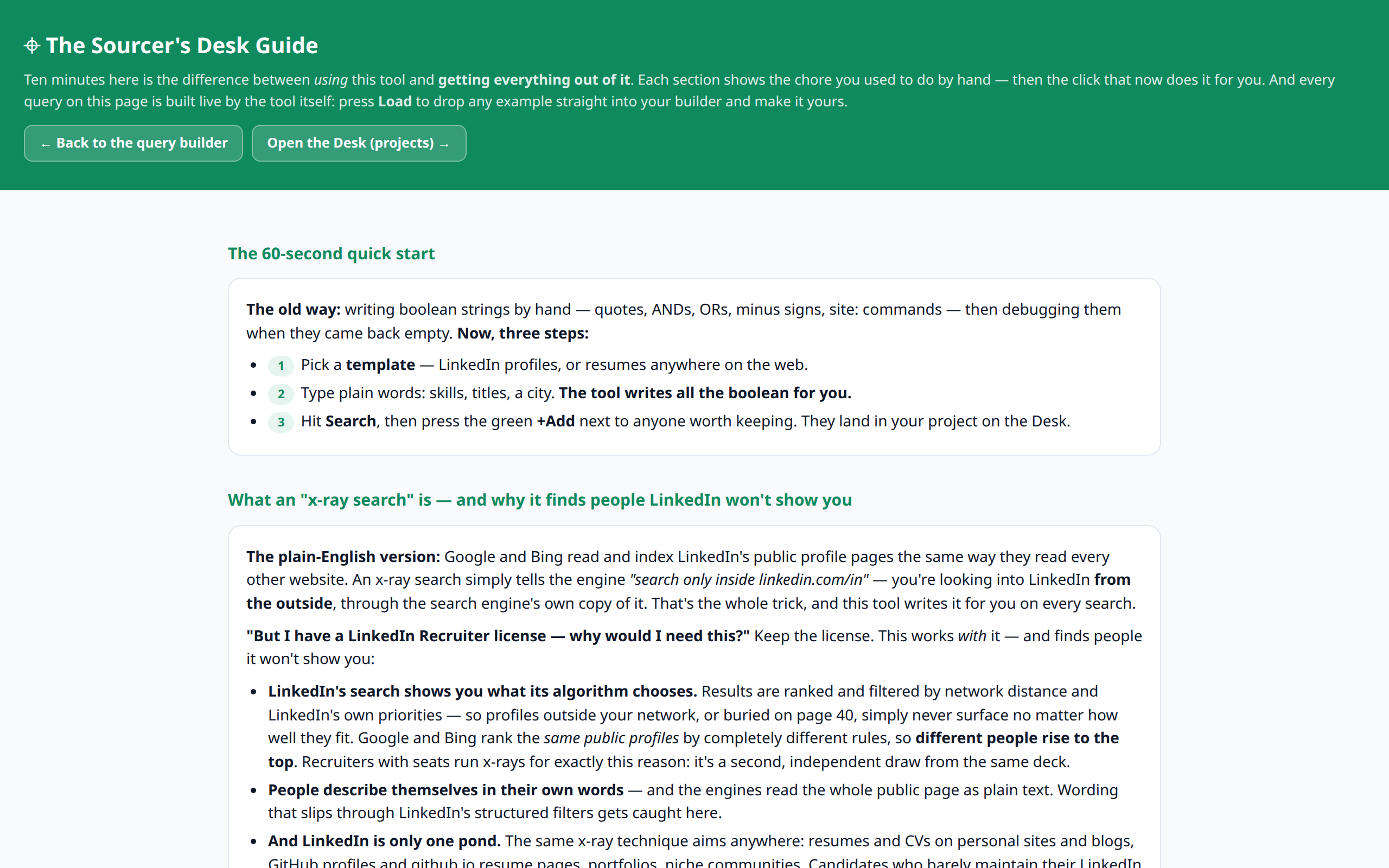
Every feature is taught the same way: here's the chore you used to do by hand, here's the click that replaced it. Ten minutes of reading makes the tool work ten times harder.
Real screenshots of the real tool (all candidates fictional). Click any image for full size.
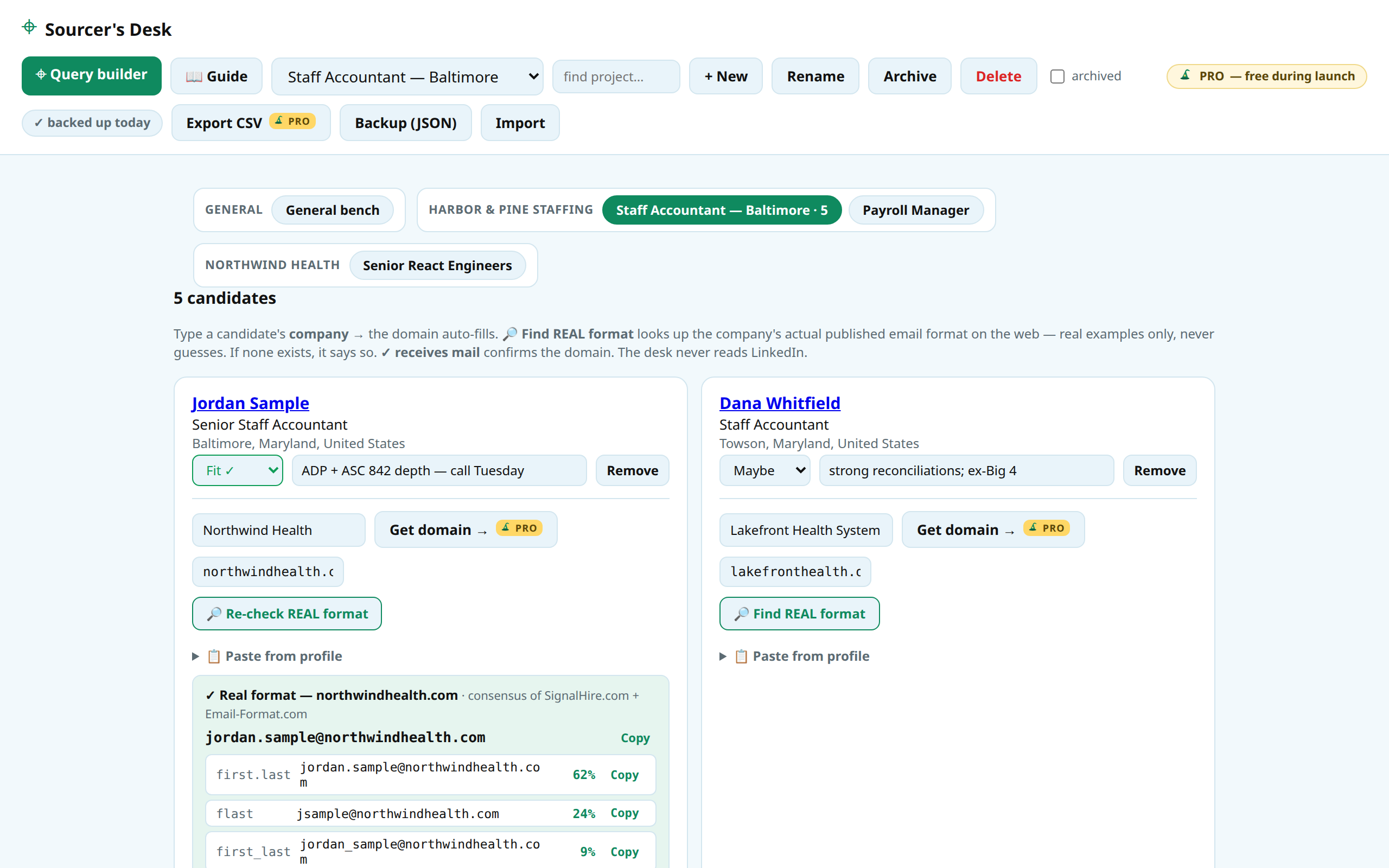
Projects grouped by client, candidates dispositioned with notes — and a company's real published email format, found and ranked for a candidate, with a Copy button on every variation.
Plain words in — an expert x-ray search out. Note the finished search string it wrote at the bottom: the quotes, the ORs, the LinkedIn-exact location. You typed none of it.
Every feature taught the honest way: the chore you used to do by hand — then the click that replaced it.
Ten minutes of reading makes the tool work ten times harder.
📖 Read the full Guide — the actual page that ships in the extension
Keep the license. This works with it — and finds people it won't show you. LinkedIn's search shows you what its algorithm chooses: ranked by network distance and its own priorities, with perfect-fit profiles buried on page 40, never to surface. Google and Bing rank the same public profiles by completely different rules — so different people rise to the top. Seat-holders run x-rays for exactly this reason: it's a second, independent draw from the same deck.
And LinkedIn is only one pond. The same technique reaches open-web resumes, GitHub, portfolios, niche communities — where candidates sit with their email right on the page and nobody else calling them. All with zero risk to the seat you pay for, because nothing this tool does happens on LinkedIn.
Most sourcing tools automate LinkedIn — that's exactly what gets accounts restricted. Sourcer's Desk never logs into, reads, or runs on linkedin.com. Not as a promise: the extension's own manifest excludes LinkedIn entirely, and the browser enforces it. You search the public web and read profiles yourself, as yourself.
Read the full safety story — and how to verify it yourself →
“I did every one of these chores by hand for twenty years. Then I built the tool that does them in one click.” — Built by a 20-year recruiter and sourcing instructor
Sourcer, sourcerer — the job was always one letter away from magic. Conjure candidates out of thin air, from the corners of the web nobody else searches. Then do the part no wizard can fake: make the placement.
🎩 Coming soon to the Chrome Web StoreType plain words. Get sourcery.